Social Media Post - Kawaii Chibi Sticker Sheet
A comprehensive prompt for a 4x3 grid sticker sheet of a cute anime girl in a penguin costume, using a 3D toy-like aesthetic.
Recommended model
nano-banana-2
Theme group
Social

Tested in AiVolo · 2026-09-05
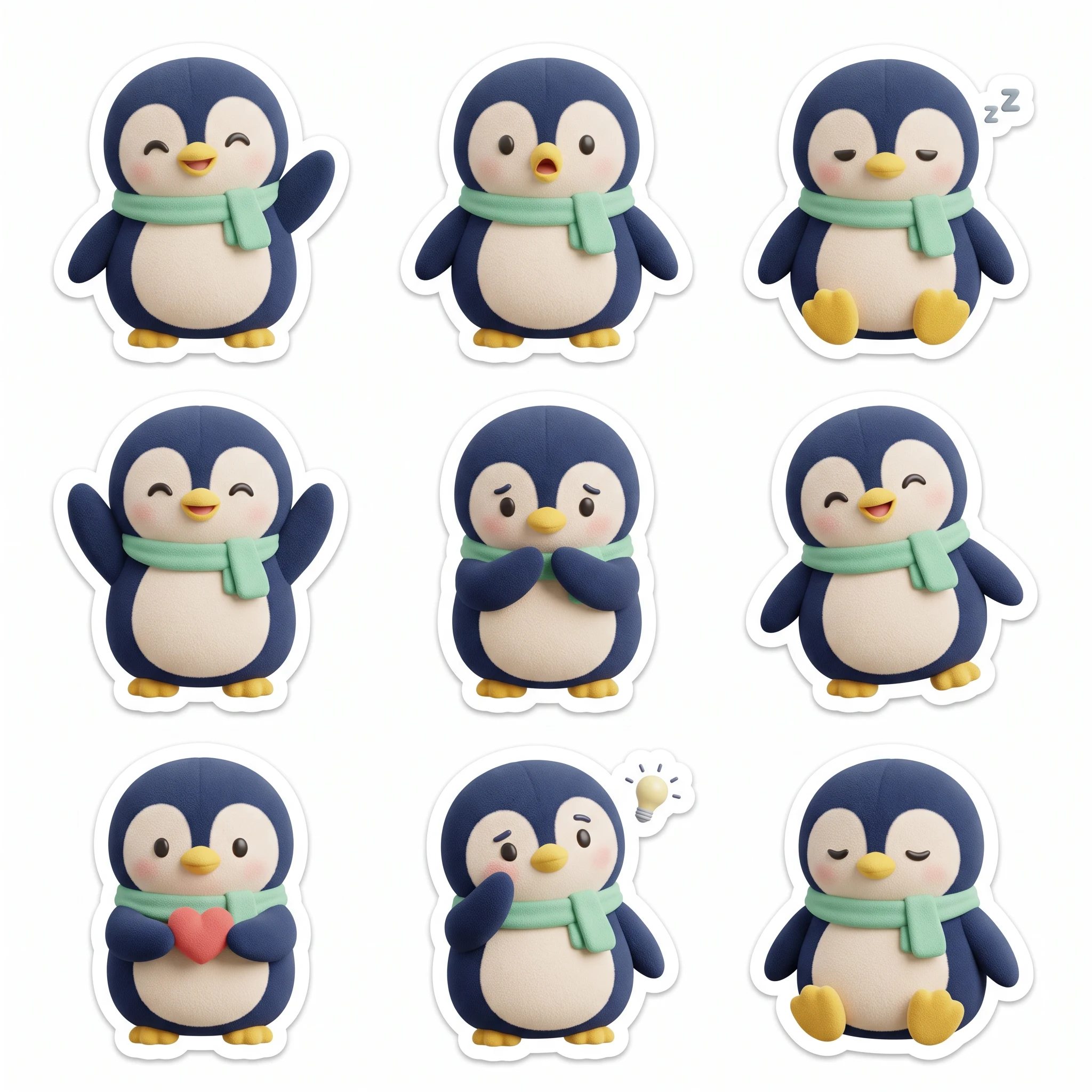
Nine penguin expressions on one sticker sheet
Nano Banana 2 · 1:1 · 2K · 1 image
Inputs we changed
- Character: a navy penguin with a cream belly and mint scarf
- Layout: 3 rows × 3 columns
- Emotions: wave, surprise, sleep, cheer, shy, laugh, heart, think and sit
Try this workflow
- Replace the character description while keeping its colors and clothing consistent in every pose.
- Specify the grid and each emotion by row. Select Nano Banana 2, 1:1 and 2K before generating one image.
- Count the stickers, check borders and spacing, and remove unwanted marks before cutting or exporting individual stickers.
What the result shows
The 2048 × 2048 output contains nine separate penguins in a three-by-three layout. The navy body, cream belly and mint scarf stay consistent, with visible white borders and different poses.
What to check before using it
The sleepy sticker includes a “zZ” mark despite the no-letters instruction. Some emotions differ only subtly. This output has a white background, not a transparent background or production-ready cutting paths.
Prompt submitted in AiVolo
Create a square 3-by-3 sticker sheet with exactly nine separate stickers on a plain white background. Each sticker shows the same original chibi penguin character: round navy-blue body, cream belly, small yellow beak, short yellow feet, and a mint-green scarf. Use a soft 3D plush-toy style, consistent proportions and colors, gentle studio lighting, and a thick clean white cutout border around each sticker. Give the nine stickers these distinct emotions and actions, left to right by row: happy waving, surprised, sleepy; cheering with both flippers up, shy, laughing; holding a tiny heart, thinking, calm sitting. Leave generous empty space between every sticker so none touch. No words, captions, letters, logos, or watermark. All nine characters must be fully inside the canvas.
AiVolo may prepare the prompt before sending it to the selected model. Confirm the current model options and credit estimate in the creation page.


